Fee tracking
Know who has paid, who is due and who is overdue
Raise the month's fees for every student at their batch's fee in one click. ChessDhaara shows what has come in, what is pending and what is overdue, and gives parents a clear fees screen with a receipt for every payment.
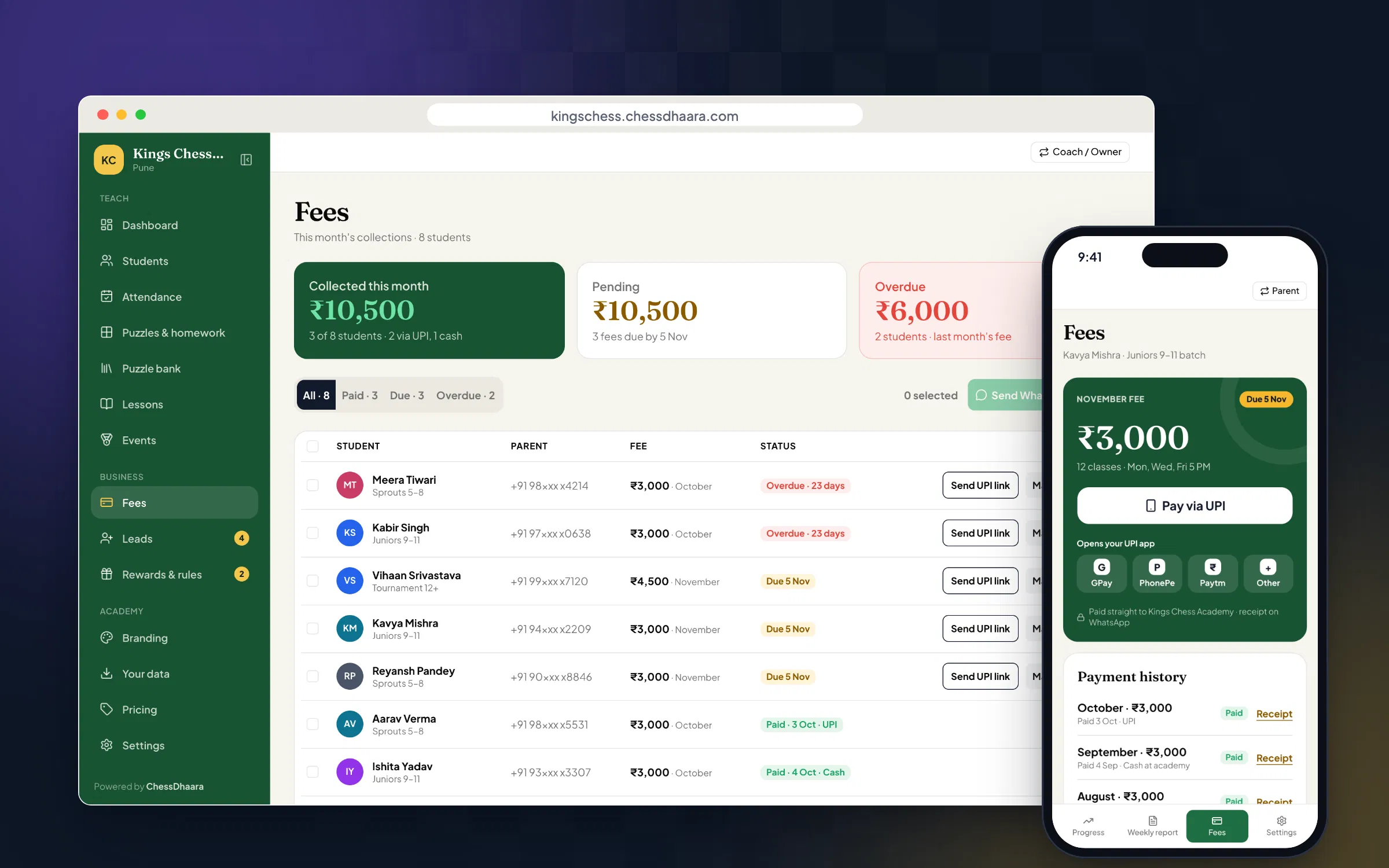
This month's collections at a glance
Collected, pending and overdue totals sit at the top of the page. Filter to the overdue students and you know exactly who to follow up with.
- Monthly invoices
- Paid / due / overdue
- Filter by status
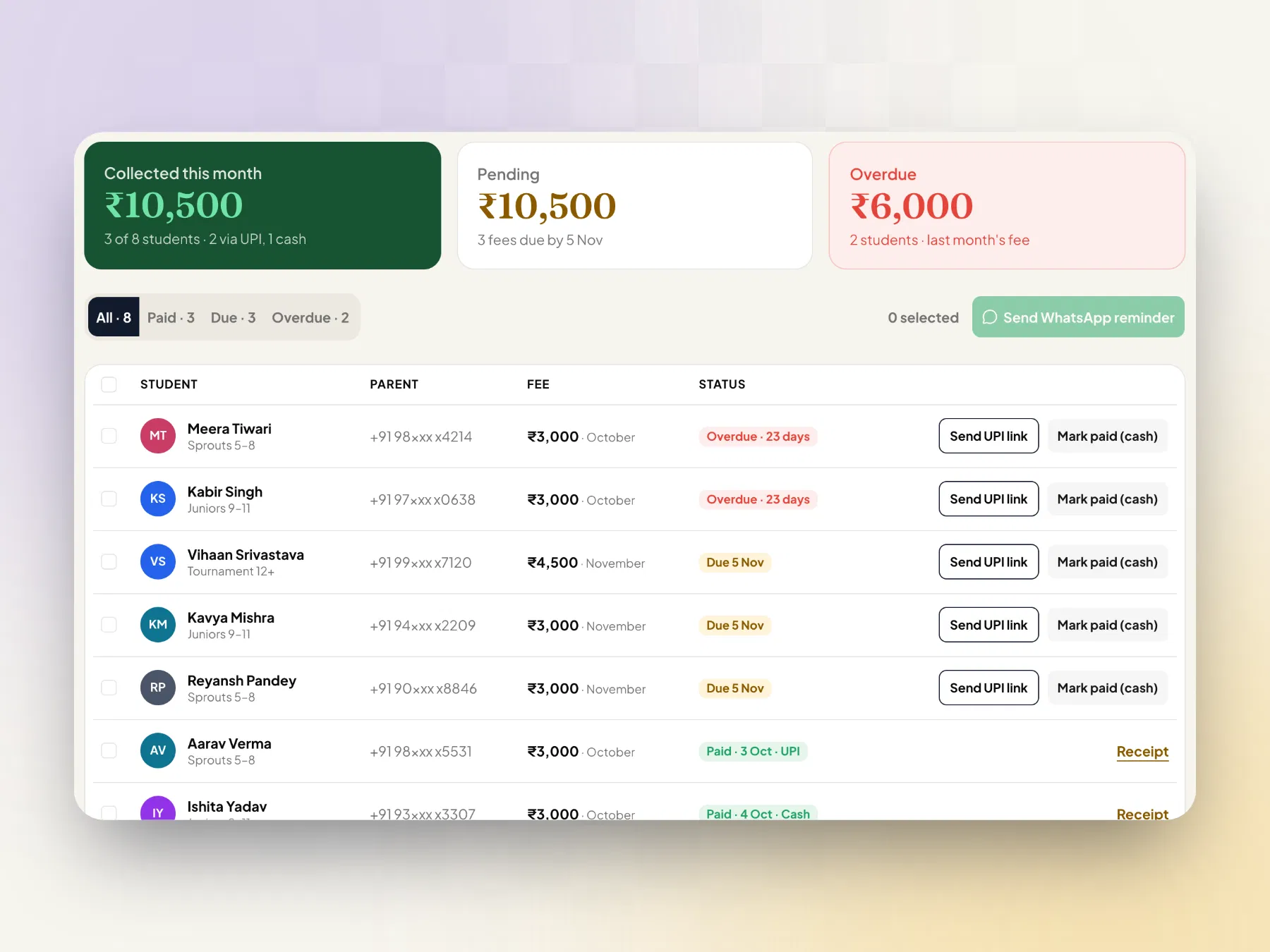
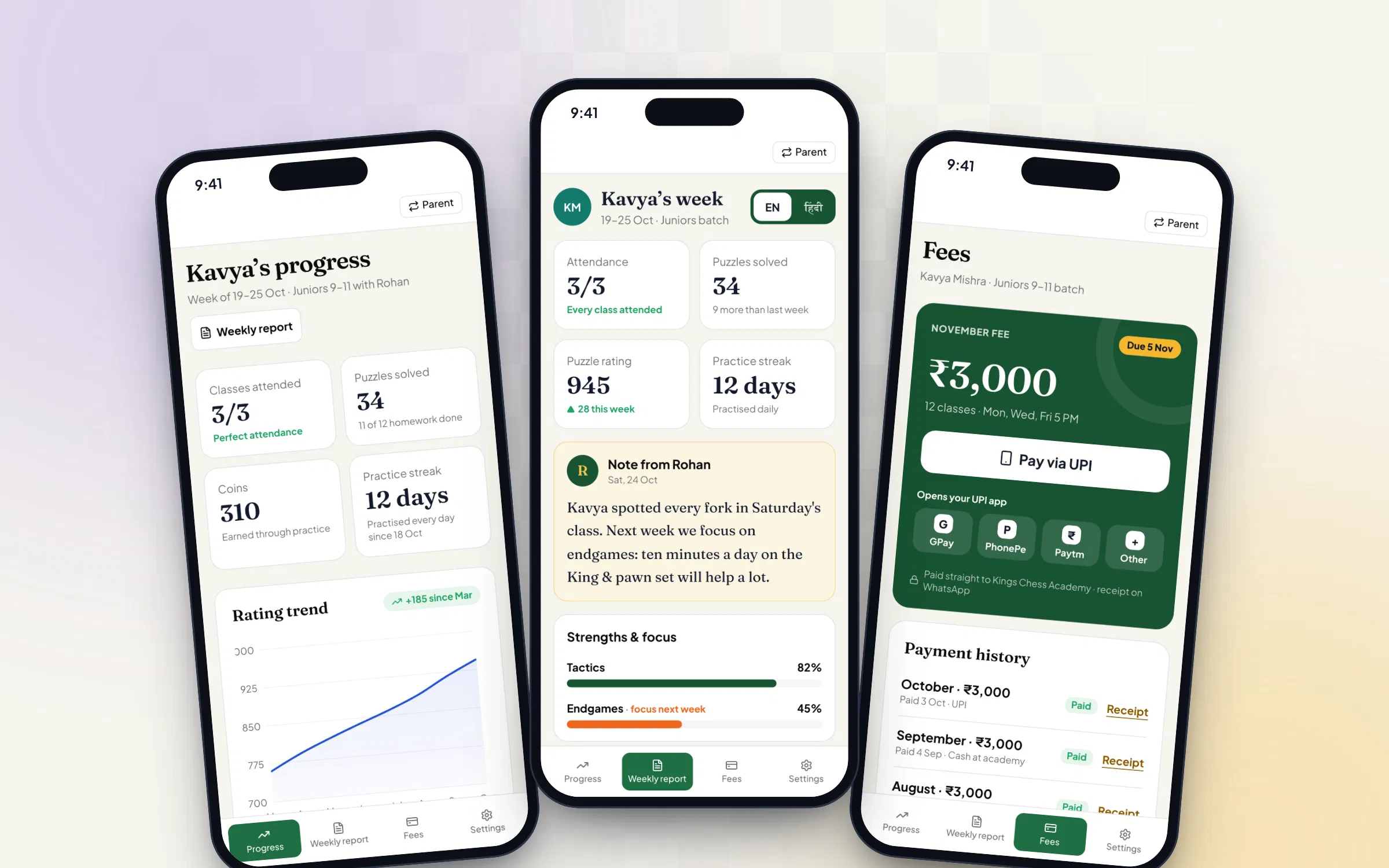
Paid straight to your UPI ID
Send a parent a UPI link for their fee. They pay from GPay, PhonePe, Paytm or any UPI app, straight to your academy, and you mark it paid. Cash payments get marked in one tap too.
- UPI payment links
- Cash or bank payments
- Your UPI ID, your money
Receipts parents can find
Every payment has a receipt, and parents see their full payment history on their own fees screen. No more “did we pay for October?” messages.
- Receipts
- Payment history for parents
- Export to a spreadsheet
FAQ
Fee tracking: questions coaches ask
Does ChessDhaara take a cut of my fees?
No. Parents pay your academy directly by UPI, cash or bank transfer. ChessDhaara only records the payment.
Can different batches have different fees?
Yes. Each batch has its own fee, and raising the month's fees uses each student's batch fee.
Can I export fee records?
Yes. Export students, fees and leads as spreadsheets at any time from the Your data page.
More from ChessDhaara
Everything your academy runs on, in one app
Your academy deserves better than a register and a spreadsheet
Book a demo today and have your students solving puzzles at your own address this week.