Attendance
Take attendance for a whole batch in under a minute
Pick the batch, tap “Mark all present” and fix the odd absence. ChessDhaara keeps every student's record, flags anyone who is slipping, and turns turning up into a streak students want to keep.
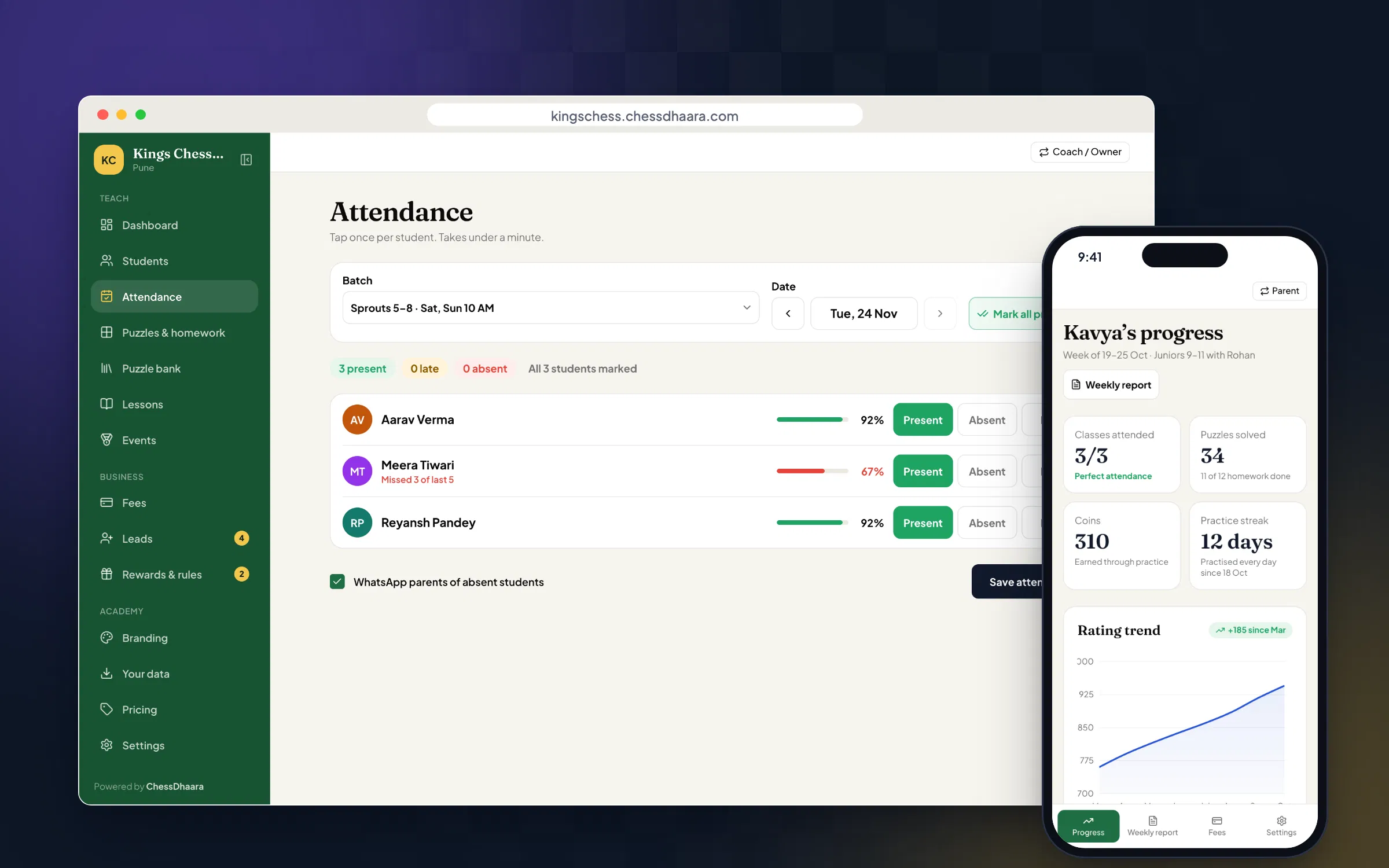
One tap per student, or one tap for the batch
Every batch has its own register. Choose the date, mark everyone present at once, then switch the few who were absent or late. No paper register, no spreadsheet to update after class.
- Per-batch registers
- Present, absent or late
- Any date, past or present
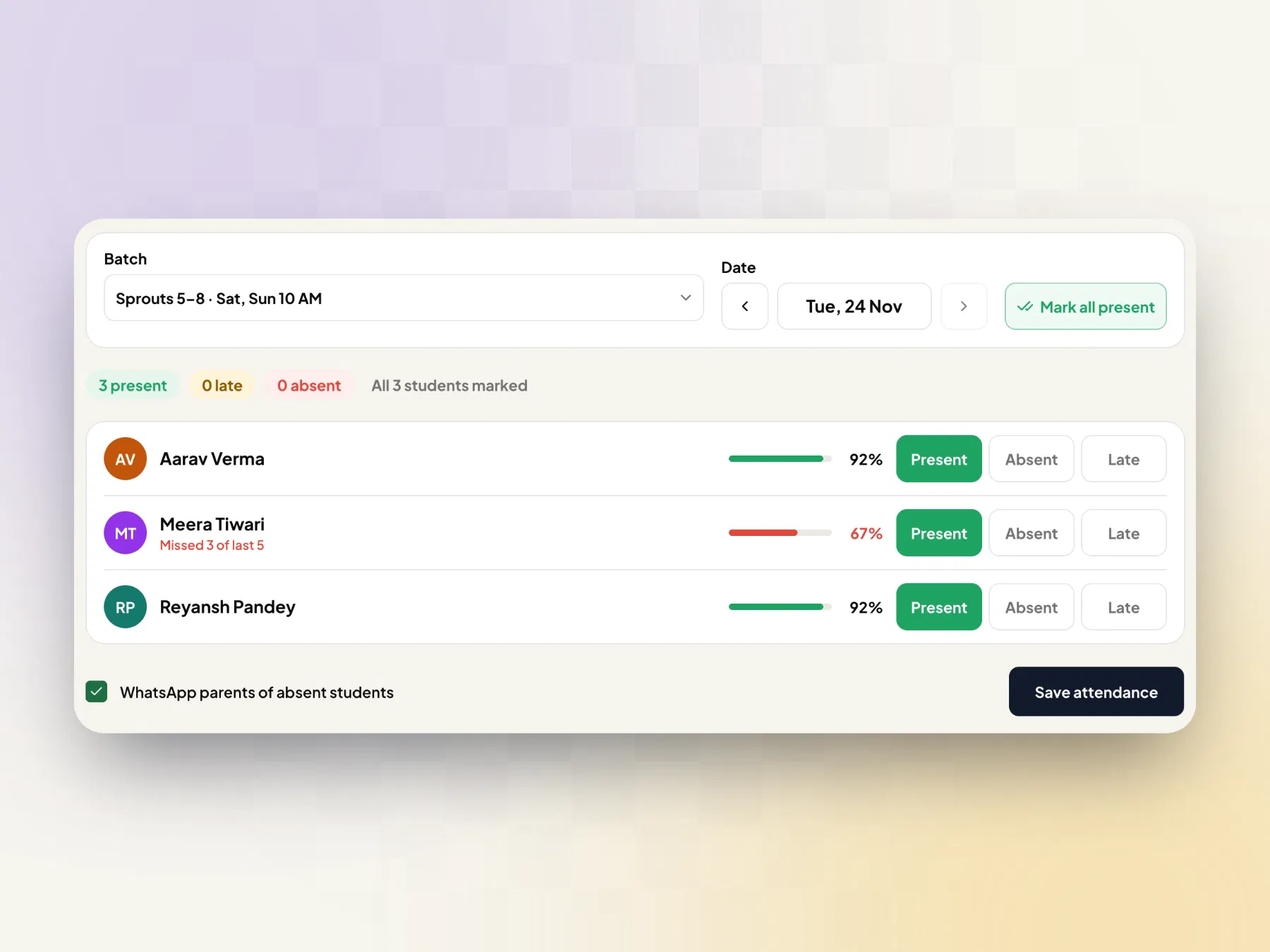
See who is slipping before they drop out
Each student's attendance rate sits next to their name, and anyone who has missed three of their last five classes is flagged in red, so you can call the parent before a gap becomes a goodbye.
- Attendance rate per student
- Missed-class warnings
- History by student
Streaks that reward turning up
Students earn bonus XP for every four classes in a row, and parents see attendance on their weekly report. Coming to class becomes part of the game.
- Streak bonuses
- On the parent report
- WhatsApp parents of absent students
FAQ
Attendance: questions coaches ask
Can I mark attendance for a past class?
Yes. Pick any date for the batch and mark or correct attendance for that class.
Do parents see attendance?
Yes. Parents see their child's attendance on their progress screen and in the weekly report.
Does it work on a phone?
Yes. ChessDhaara runs in the browser on any phone, tablet or computer, so you can take attendance from the classroom.
More from ChessDhaara
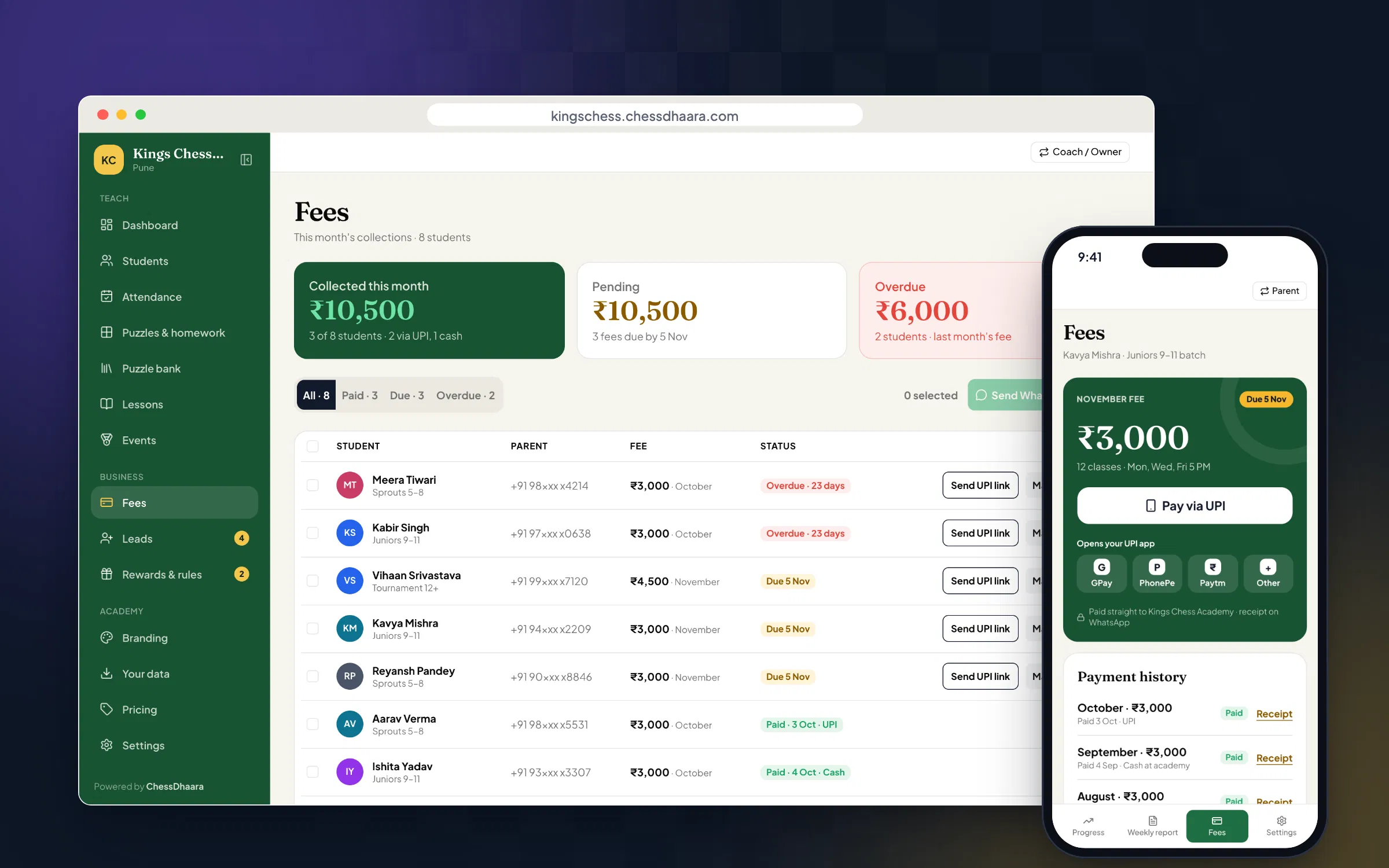
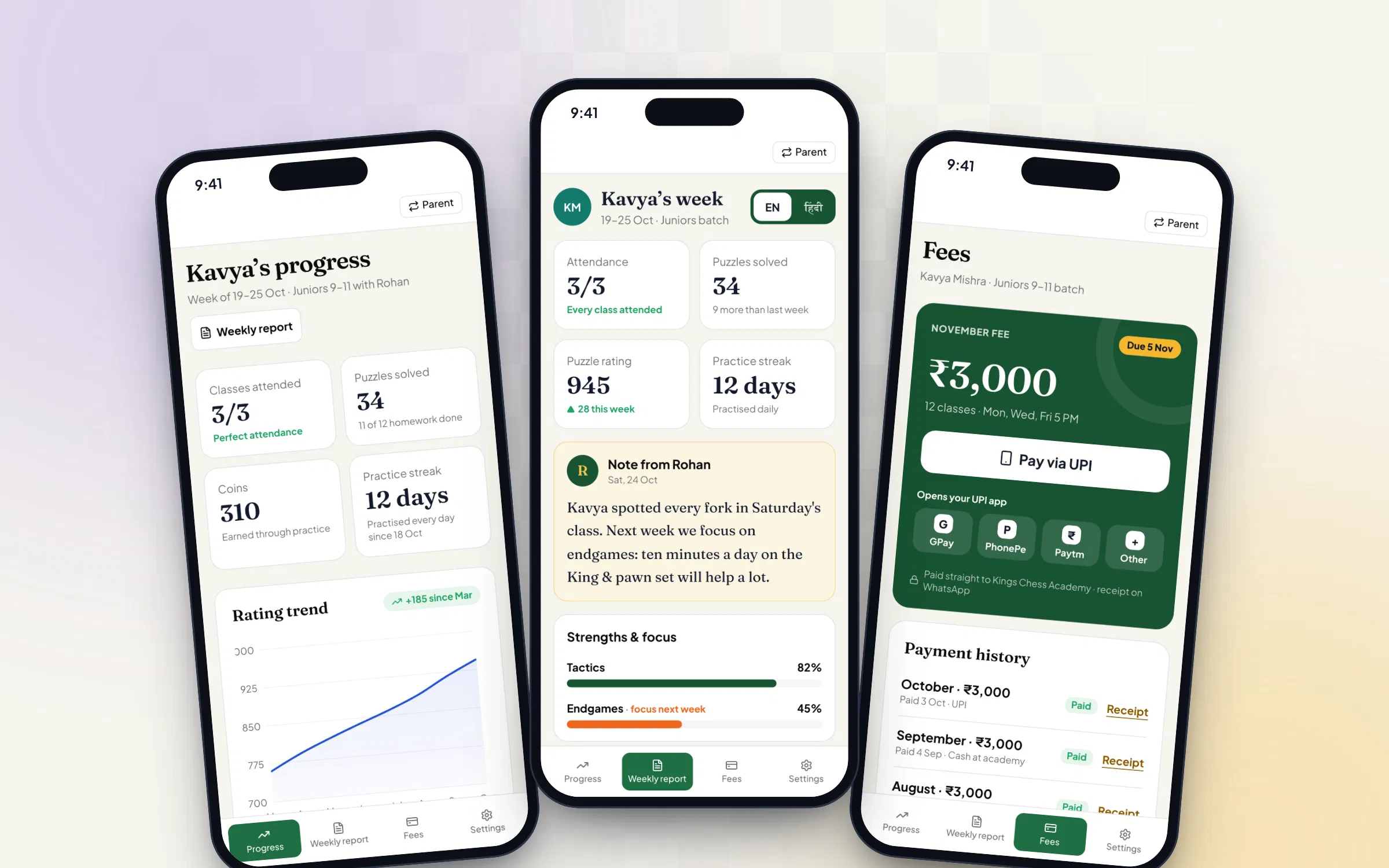
Everything your academy runs on, in one app
Your academy deserves better than a register and a spreadsheet
Book a demo today and have your students solving puzzles at your own address this week.